Codnix ACF Toolkit

By JUWEL ISLAM

Description

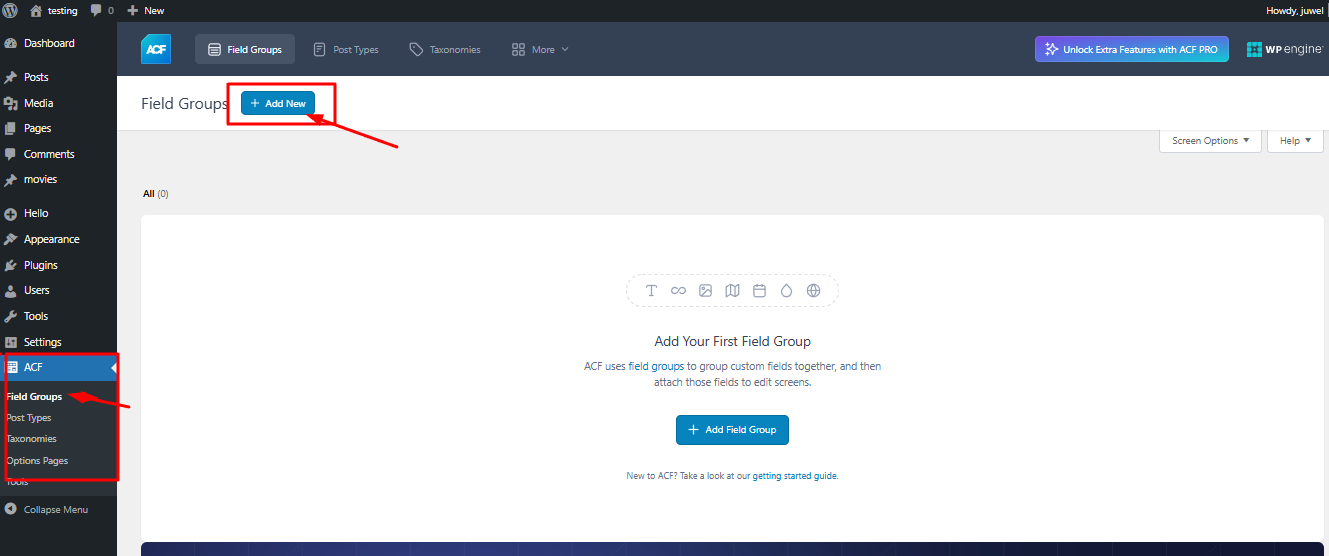
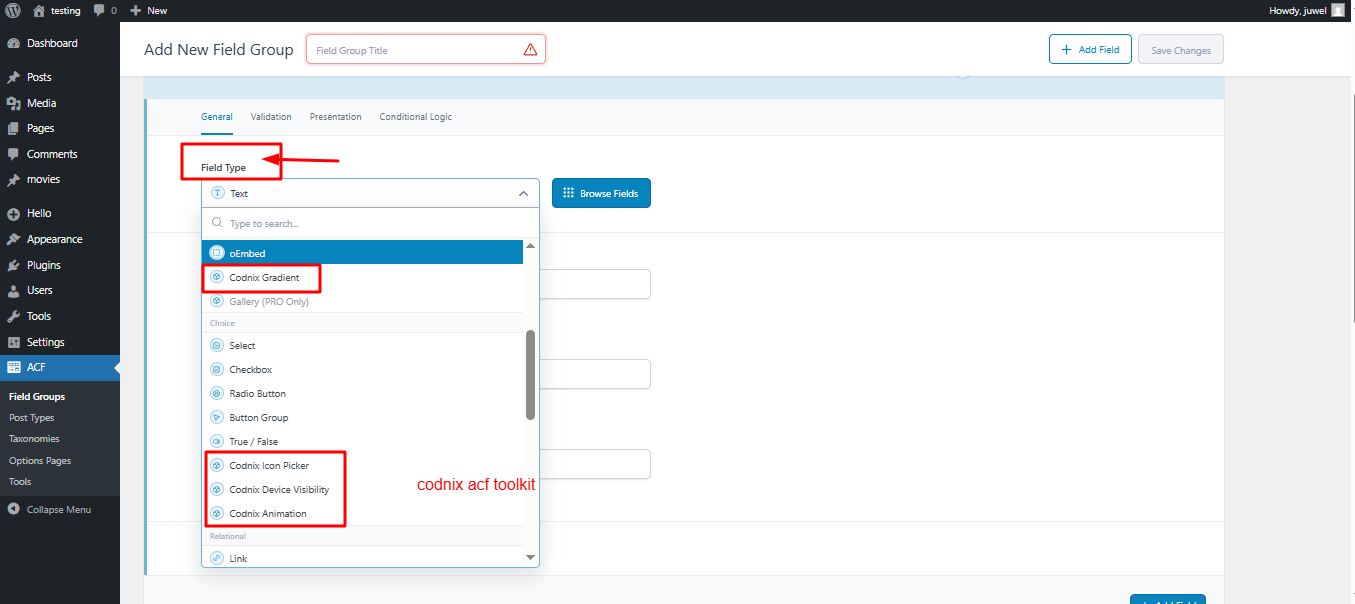
I’m excited to share a project I recently built — Codnix ACF Toolkit, a lightweight WordPress plugin designed to extend the capabilities of Advanced Custom Fields (ACF) and help developers build more flexible and powerful websites.
As a WordPress developer who frequently works with ACF, I noticed that many advanced field types require the ACF Pro version. To make development more accessible, I decided to build a toolkit that adds some of these powerful field types directly into the workflow.
šŸ”§ Key Features
āœ” Adds Gallery Field to ACF field groups
āœ” Adds Repeater Field support
āœ” Adds Flexible Content Field for dynamic layouts
āœ” Adds Clone Field functionality
āœ” Seamless integration with existing ACF field groups
āœ” Lightweight and developer-friendly
šŸ’” Why I Built This
My goal with Codnix ACF Toolkit is to simplify the development process for WordPress developers by providing additional field options that make content management more flexible and efficient.
This is just Version 1.0, and I’m already planning new features and improvements for upcoming releases.

Version

V 1.0

Last updated

6 days ago

Active installations

17+

WordPress version

6.5 or higher

Tested up to

7.4 or higher

Tags

ACF, Toolkit, Codnix, Plugin, ACF extended

Type

Plugin FAQ Section

1. What does this plugin do?

This plugin adds powerful functionality to your WordPress website, helping you extend core features and improve your workflow without writing custom code. It is designed to be lightweight, easy to use, and fully compatible with modern WordPress environments.

Add Your Heading Text Here

Add Your Heading Text Here

Add Your Heading Text Here

Add Your Heading Text Here

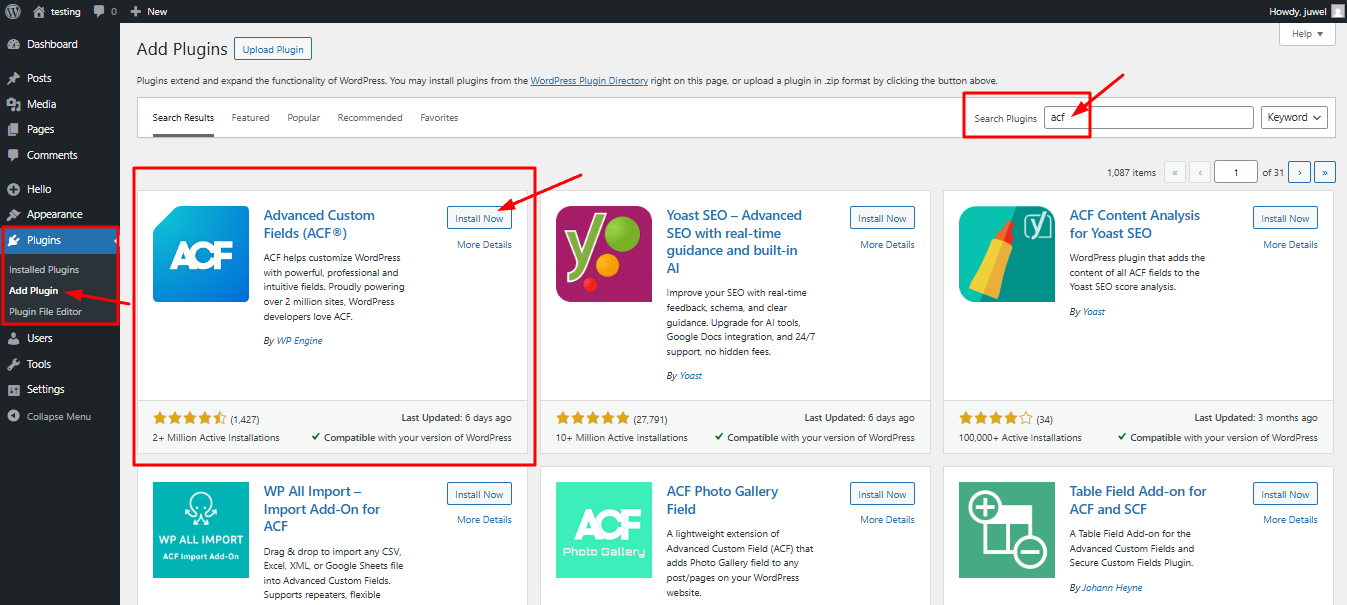
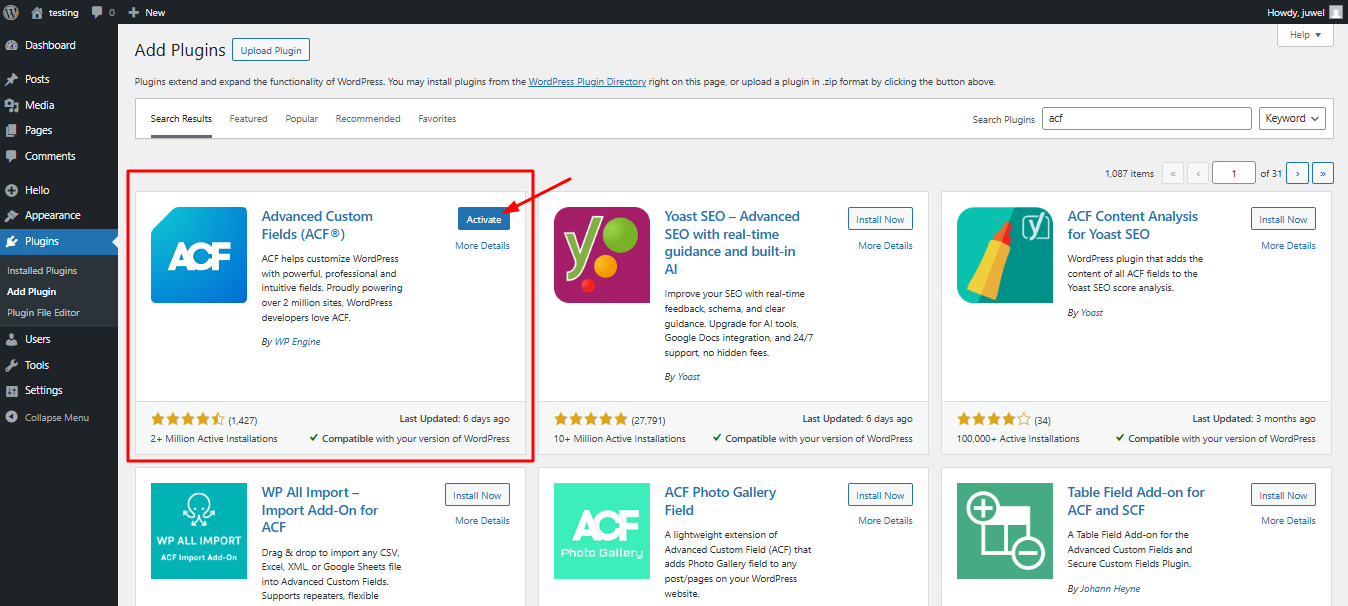
You can install the plugin in two simple ways:
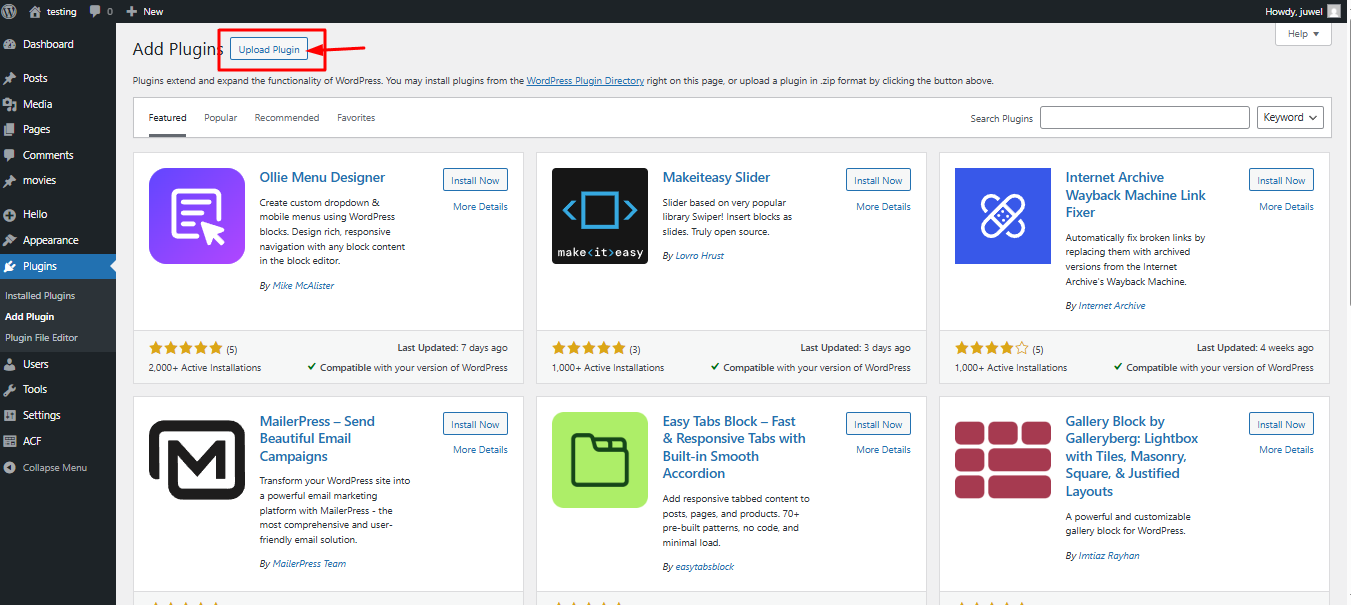
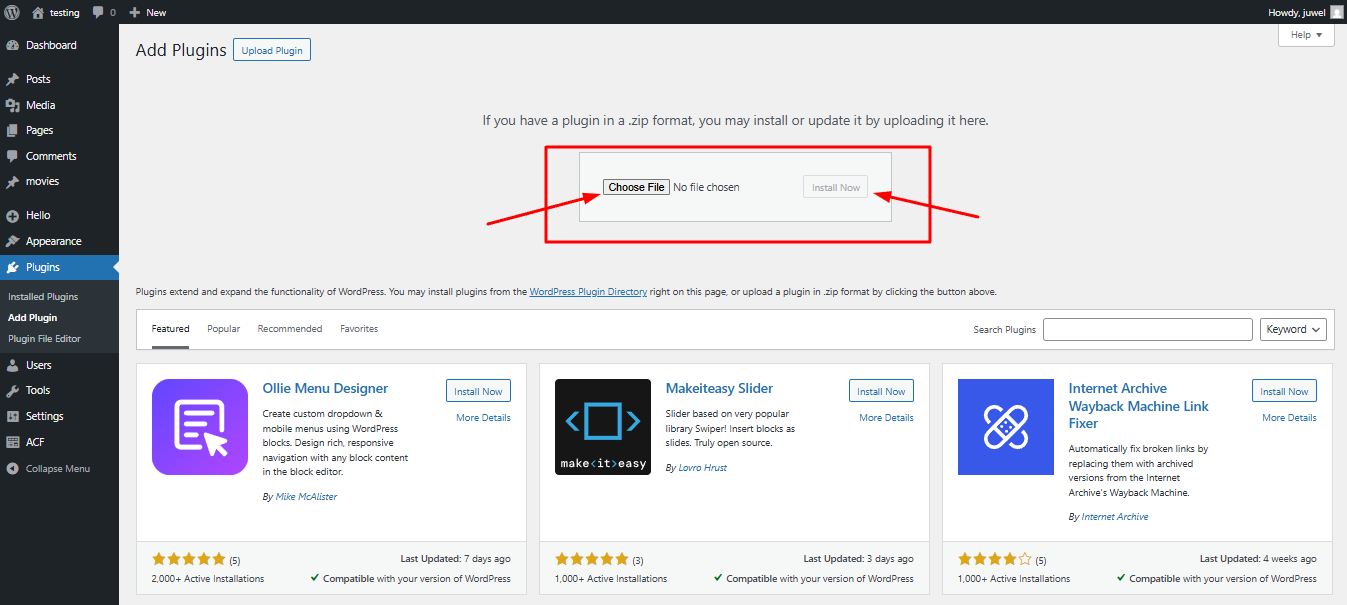
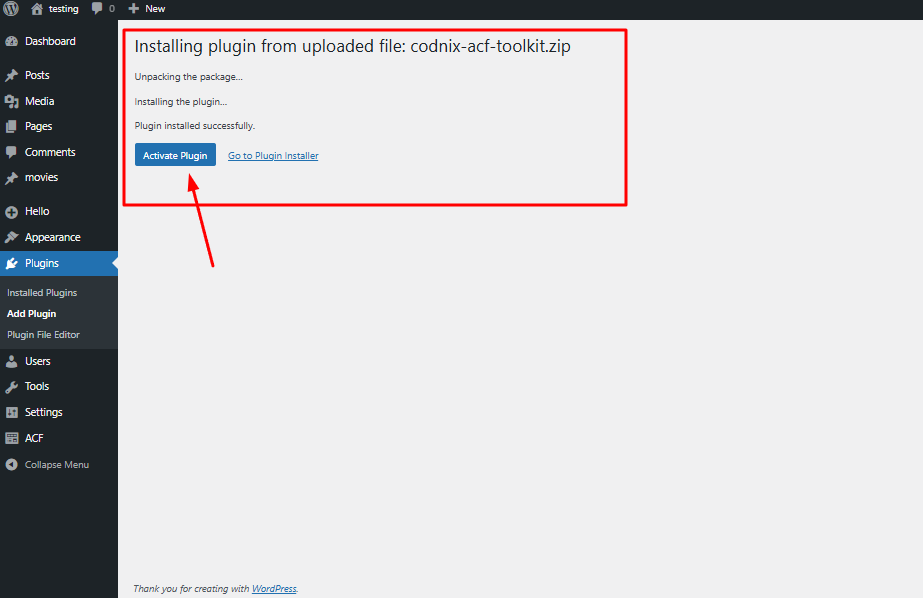
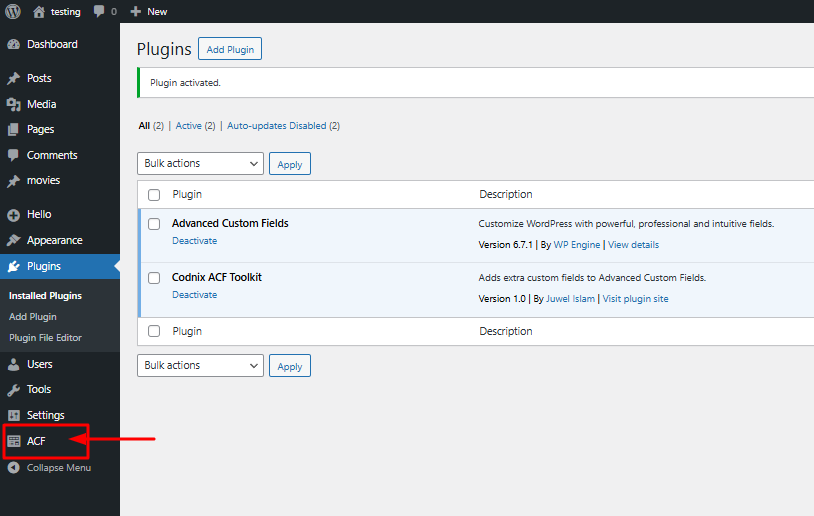
Method 1 — Upload ZIP File Go to WordPress Dashboard Navigate to Plugins → Add New Click Upload Plugin Upload the ZIP file Click Install Now and then Activate
Method 2 — Manual Upload Upload the plugin folder to /wp-content/plugins/ via FTP and activate it from the dashboard.

Yes. Codnix plugins receive regular updates for:
New features
Performance improvements
Security enhancements
WordPress compatibility

You can contact us through the Codnix website support page to report bugs or suggest new features. We actively listen to user feedback to improve our plugins.

Some Codnix plugins are free, while others may offer premium versions with advanced features. Please check the plugin page for licensing details.

Yes. Codnix plugins follow WordPress coding standards and are compatible with most themes.

Latest Themes Plugins